

Free up the space Lightroom Classic wastes.
CatalogSweep finds old previews, catalog backups and upgrade leftovers on your Mac and drives. It keeps anything that could be the last copy of a photo or an edit.
Seiser Alm, Dolomites. Photo by the developer.

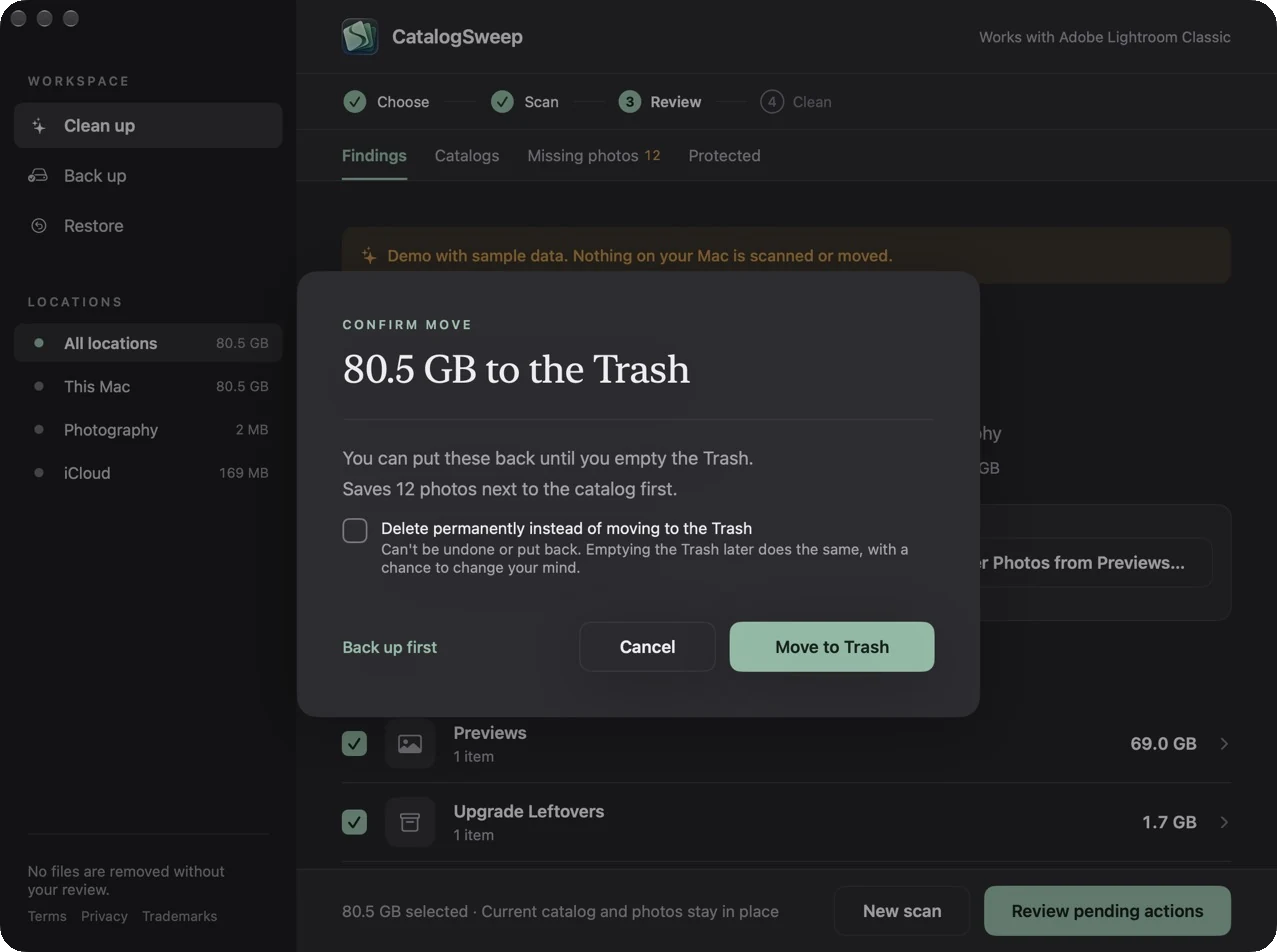
Nothing moves without you
Every finding says what it is and why. Only what you tick goes, after you confirm, and it goes to the Trash.
Last copies stay
Your catalog, AI edits, photos and presets are never offered. Previews of missing photos are saved as JPEGs first.
Changed your mind?
One click puts the whole cleanup back where it was, until you empty the Trash.
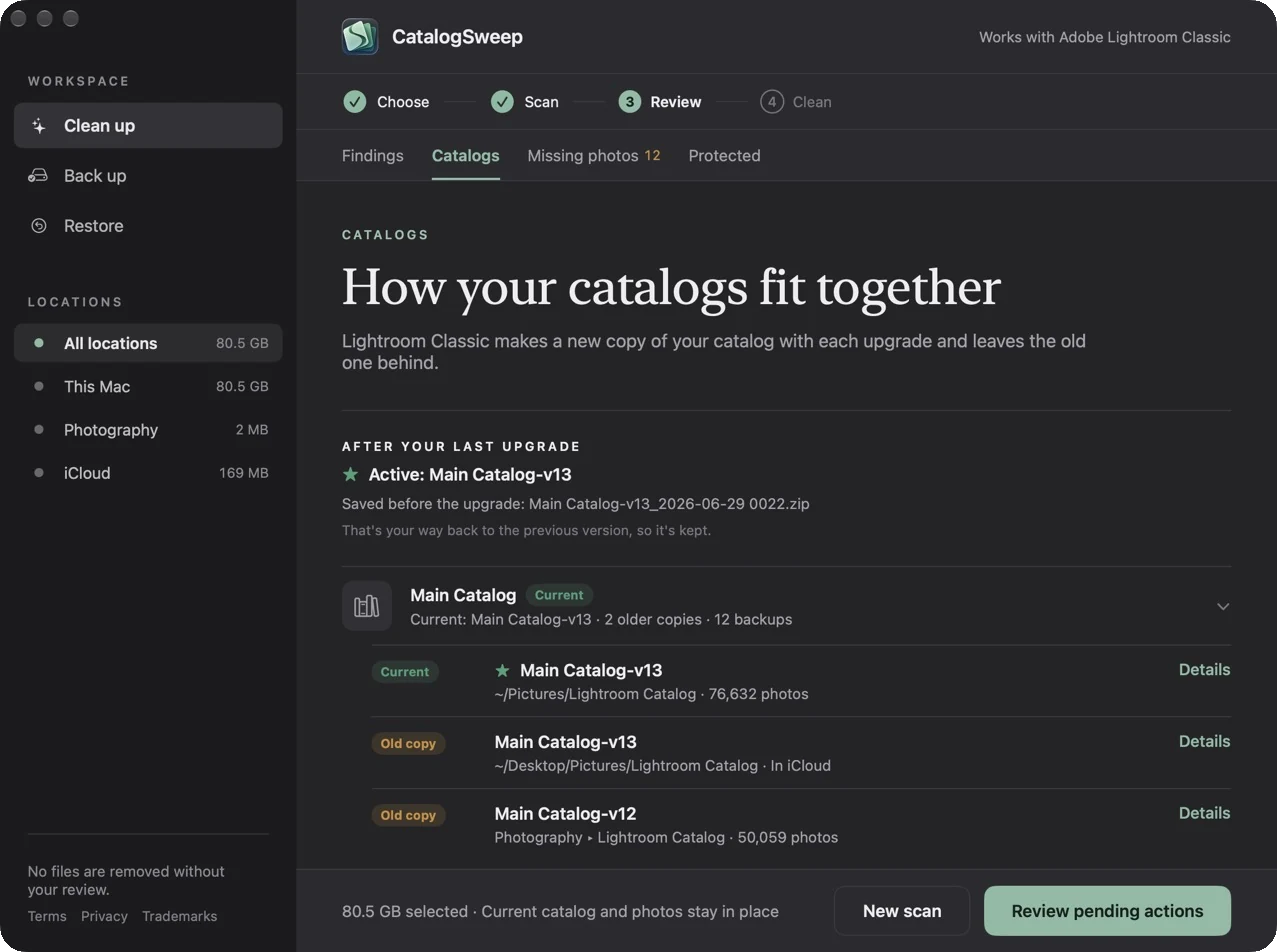
Know which catalog is the real one
Every Lightroom Classic upgrade copies your catalog and leaves the old one behind. CatalogSweep shows which one is current, which are leftovers, and which backup is your way back.
Saved first, then cleaned
If some photos' originals are missing, their previews may be the only image left. CatalogSweep asks before anything moves, and saves them as JPEGs where you choose.
Never offered, ever
- Your current catalog
- AI edits (.lrcat-data)
- Your photos
- Phone photos (Mobile Downloads)
- Presets and settings
- Catalogs in use
- CatalogSweep backups
- The cloud-based Lightroom app
Rules based on Adobe's documentation and well-known Lightroom Classic experts. When CatalogSweep isn't sure, it keeps the file and tells you why. Suggestions are careful, not guarantees: keep a backup of your photos, such as Time Machine.
Backups you can actually restore
On a schedule, to another drive: the catalog with its AI edits, presets, plug-ins, profiles and settings. Every file is checked against the original, and restoring never overwrites anything on your Mac.
Your original photos aren't part of it. Back them up separately, for example with Time Machine.
$4.99once · U.S. price
Free to scan. Pay once to clean.
See everything it finds before you pay. No subscription, no account, no tracking. Works on all your Macs and with Family Sharing.
Questions
Will it delete my photos?
No. CatalogSweep never offers photo files, and the photos your phone synced to Lightroom Classic are protected too. It removes files Lightroom Classic can do without, like previews it rebuilds and old backups.
Does it work with the cloud-based Lightroom app?
No. It only works with Lightroom Classic catalogs, and it leaves the other app's library alone.
What if Lightroom Classic is open?
Scanning is fine. Cleaning waits until you quit Lightroom Classic, so nothing is moved while it's using a file.
Can I try it without Lightroom Classic?
Yes. File > Try the Demo with Sample Data shows every screen with made-up files. Nothing on your Mac is scanned or moved.
More answers on the support page, or email support@catalogsweep.com.